Windows
x64 installer
The simulator serves TCP on Windows; RTU needs a virtual COM pair.
'/%3e%3c!--%20the%20DIN%20rail%20the%20field%20device%20clips%20onto%20--%3e%3crect%20x='148'%20y='474'%20width='728'%20height='100'%20rx='22'%20fill='%2330364A'/%3e%3crect%20x='148'%20y='510'%20width='728'%20height='28'%20fill='%2320242F'/%3e%3cg%20clip-path='url(%23module)'%3e%3crect%20x='267'%20y='212'%20width='490'%20height='600'%20fill='url(%23body)'/%3e%3c!--%20terminal%20strip:%20the%20A,%20B%20and%20common%20screws%20of%20the%20RS-485%20pair%20--%3e%3crect%20x='267'%20y='212'%20width='490'%20height='150'%20fill='%23C4F4FA'/%3e%3c/g%3e%3ccircle%20cx='382'%20cy='287'%20r='33'%20fill='%23075B73'%20opacity='.8'/%3e%3ccircle%20cx='512'%20cy='287'%20r='33'%20fill='%23075B73'%20opacity='.8'/%3e%3ccircle%20cx='642'%20cy='287'%20r='33'%20fill='%23075B73'%20opacity='.8'/%3e%3c!--%20bits%20on%20the%20line%20--%3e%3cpath%20d='M%20342%20598%20H%20404%20V%20462%20H%20486%20V%20598%20H%20556%20V%20462%20H%20682'%20fill='none'%20stroke='%23075B73'%20stroke-width='30'%20stroke-linecap='round'%20stroke-linejoin='round'%20opacity='.62'/%3e%3crect%20x='342'%20y='690'%20width='212'%20height='36'%20rx='18'%20fill='%23075B73'%20opacity='.45'/%3e%3c/svg%3e)
Read and write devices over RTU serial, Modbus TCP and RTU over TCP, keep register maps as files, see the RS-485 bus as it runs and test against a built-in simulator. Native Rust, with no browser engine inside.
A dense, keyboard-first workspace where registers, bus timing and frames get the room and the chrome steps back. Every screen here is the app itself, running on fictional sample devices.
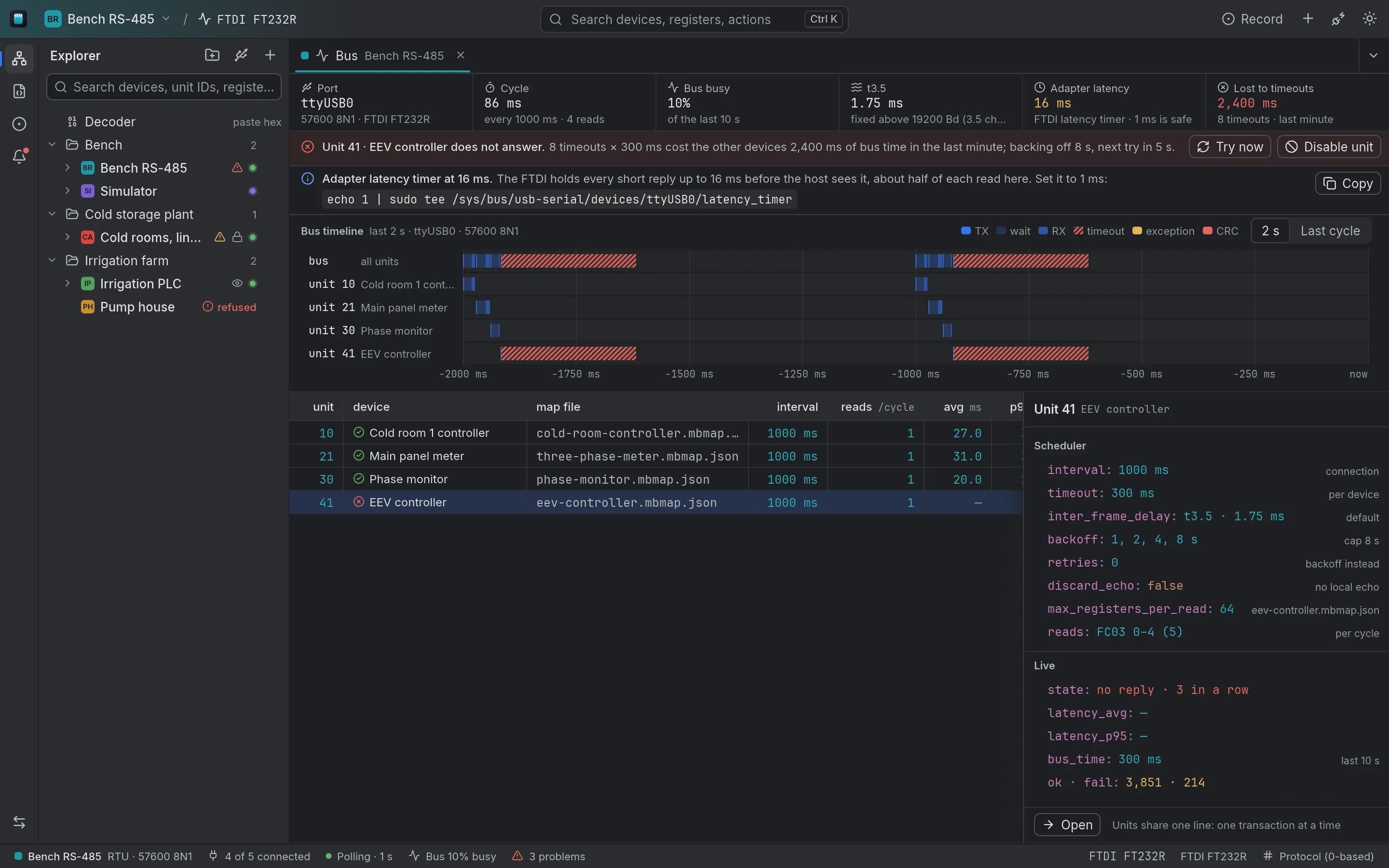
Every serial port has a scheduler, and the bus view shows it: a timeline of transmit, wait and receive per unit, bus occupancy, the t3.5 gap, timeouts, the backoff of a unit that stopped answering and what its silence costs the others, and the adapter's latency timer.
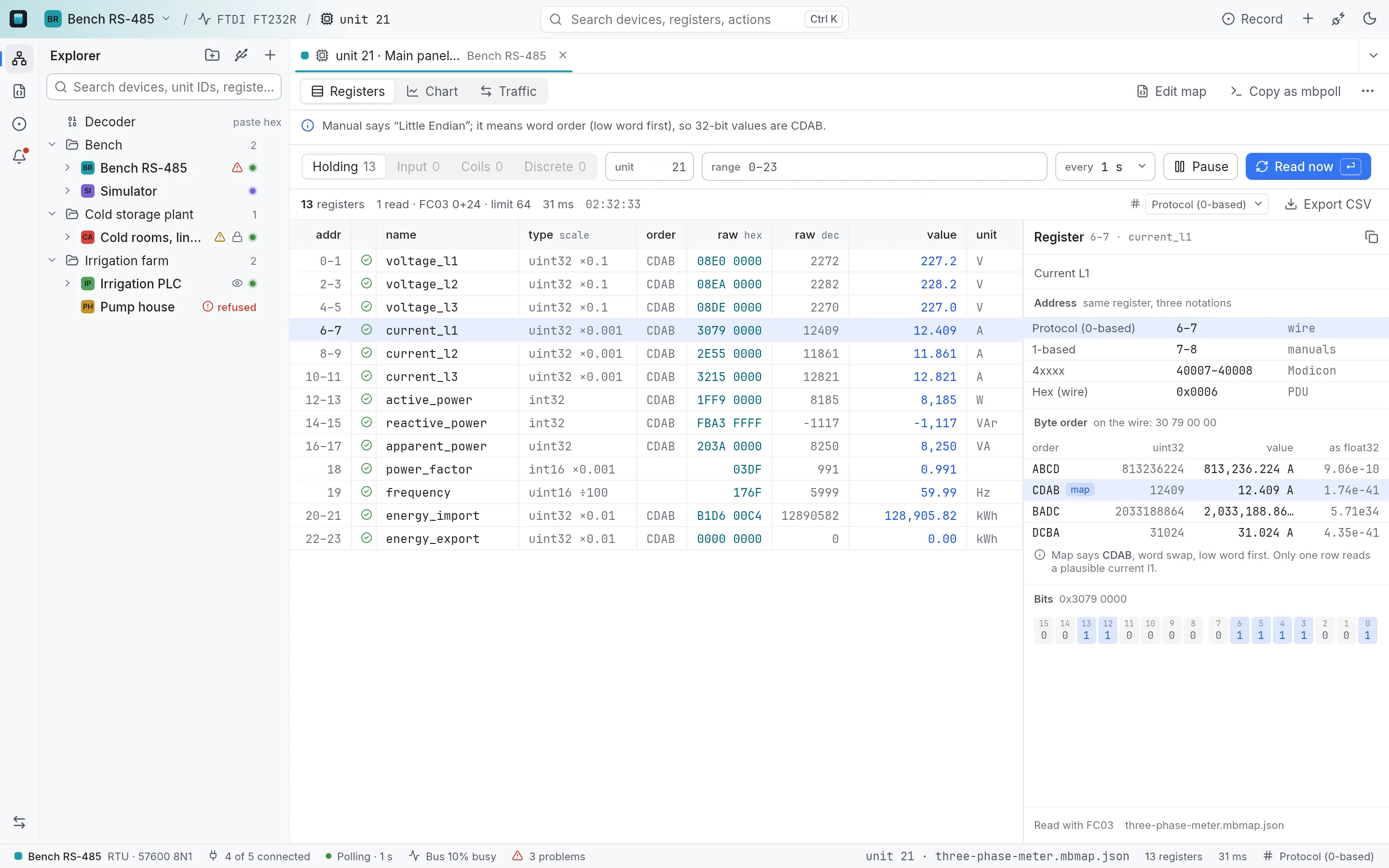
Raw hex and decimal next to the decoded value, with type, scale and unit from the map. The inspector gives the address in three notations (protocol 0-based, 1-based and 4xxxx), because manuals use all three, and applies the map's validity rules: a sentinel value or a status bit marks a reading invalid instead of passing it off as a number.
The same 32-bit reading in ABCD, CDAB, BADC and DCBA side by side, with the map's order marked. When a manual says “little endian” and means the word order, the one row that reads a plausible value settles it.
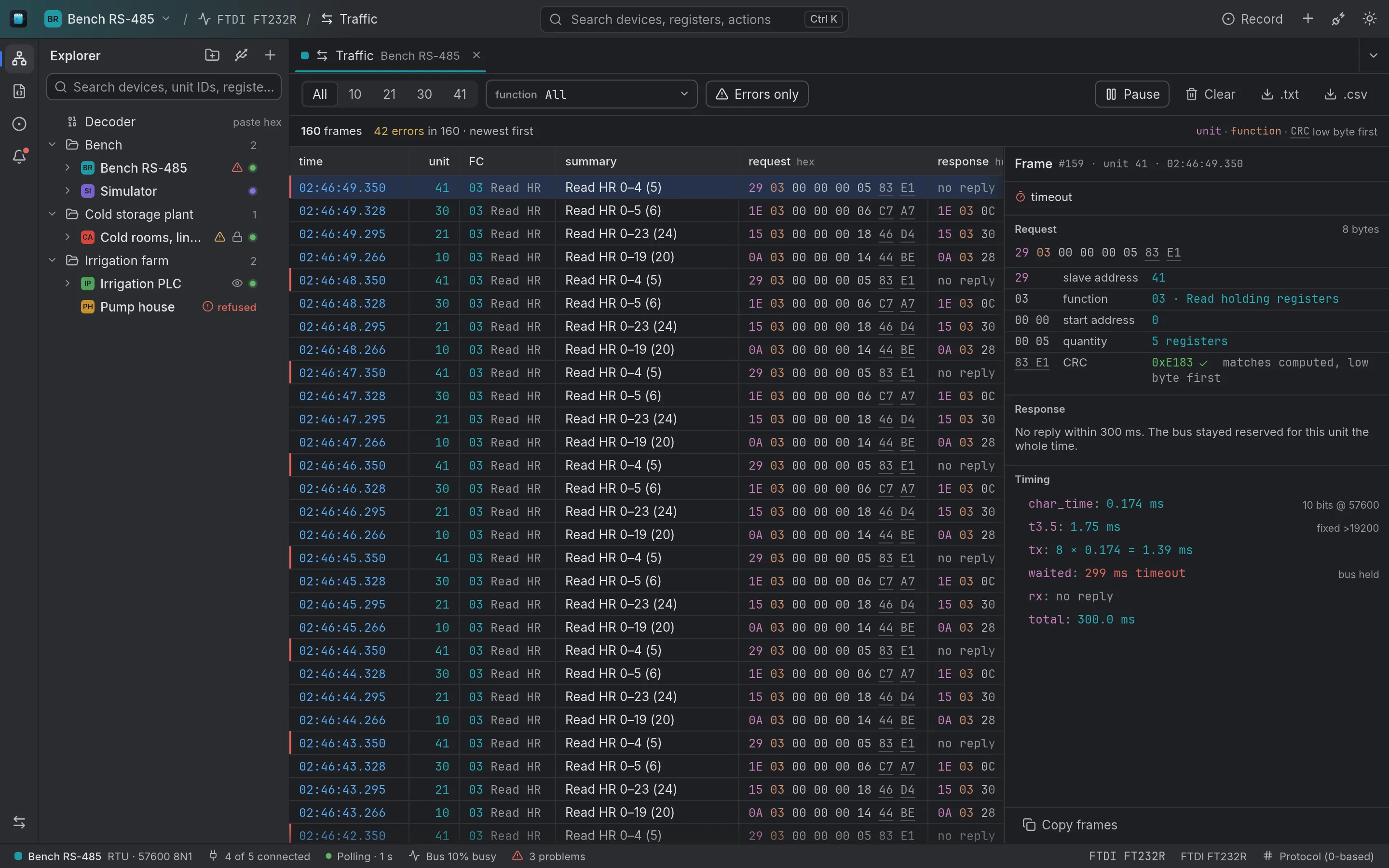
Every frame on the connection, newest first, filtered by unit, function code or errors only. Select one and it is decoded field by field, the CRC checked against the one computed, with the frame's timing. The log exports as CSV or text.
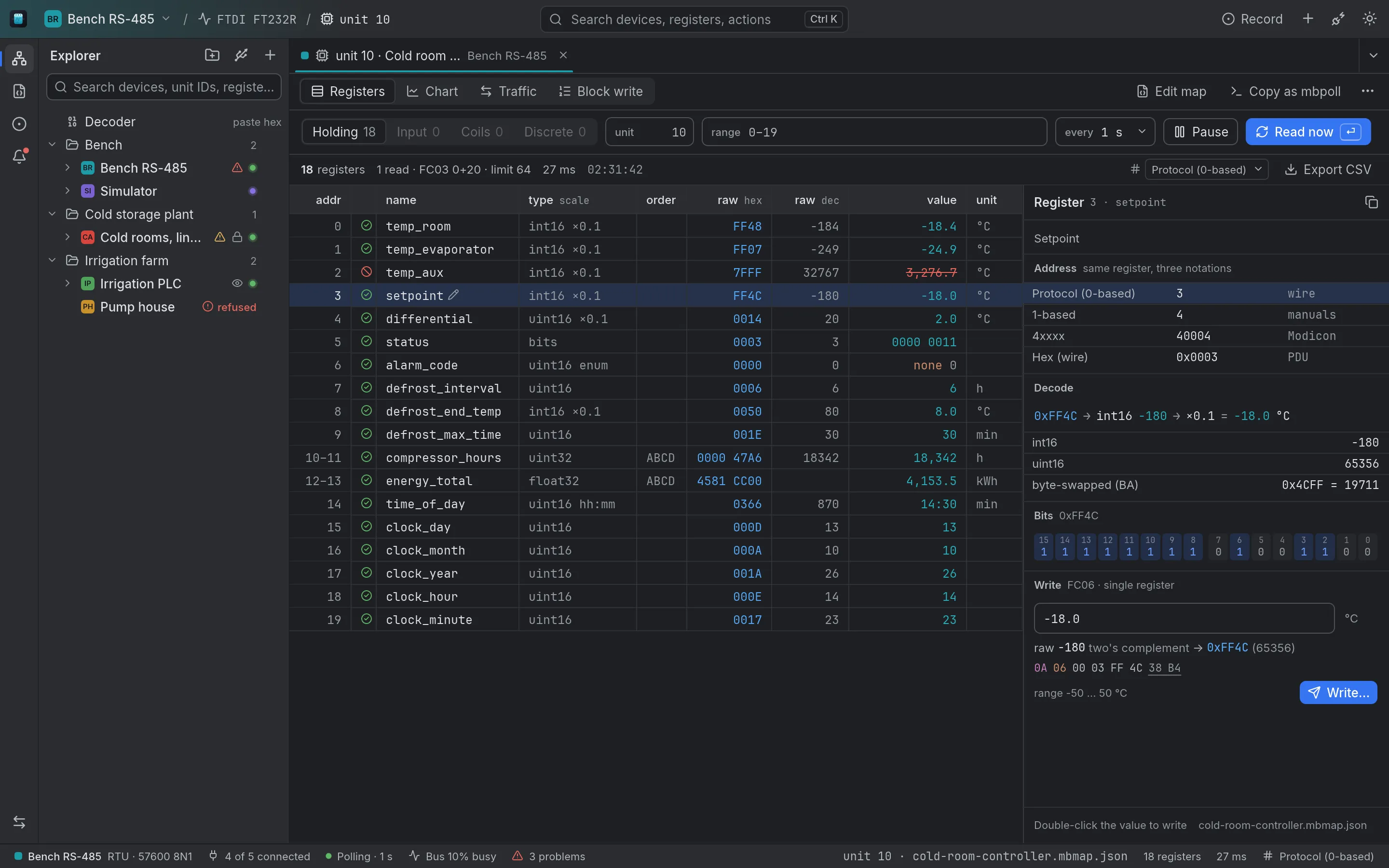
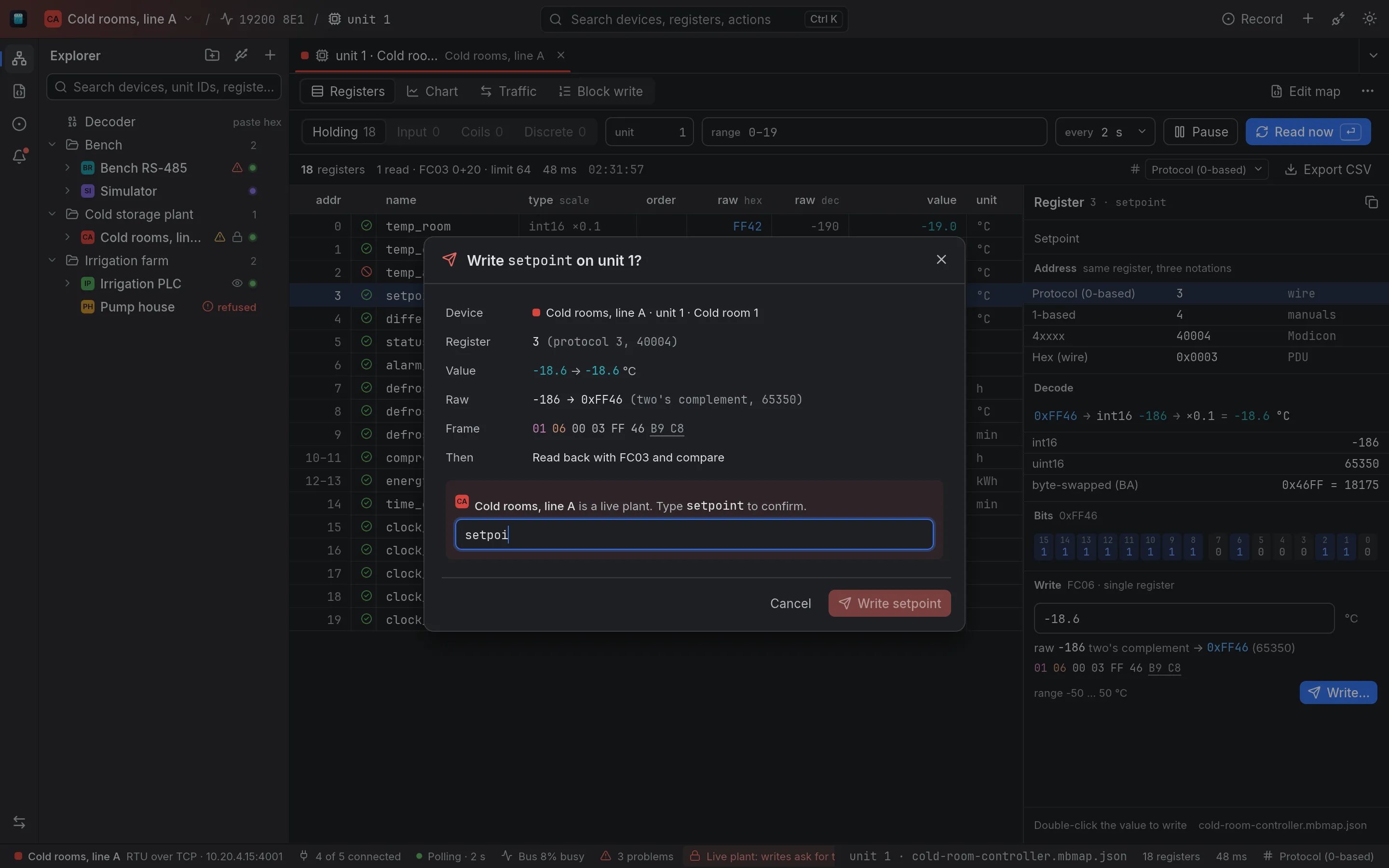
On a live-plant connection a write asks you to type the register's name, previews the raw value (in two's complement for a negative number) and the frame it will send, and reads the register back after writing. Read-only connections hide every write.
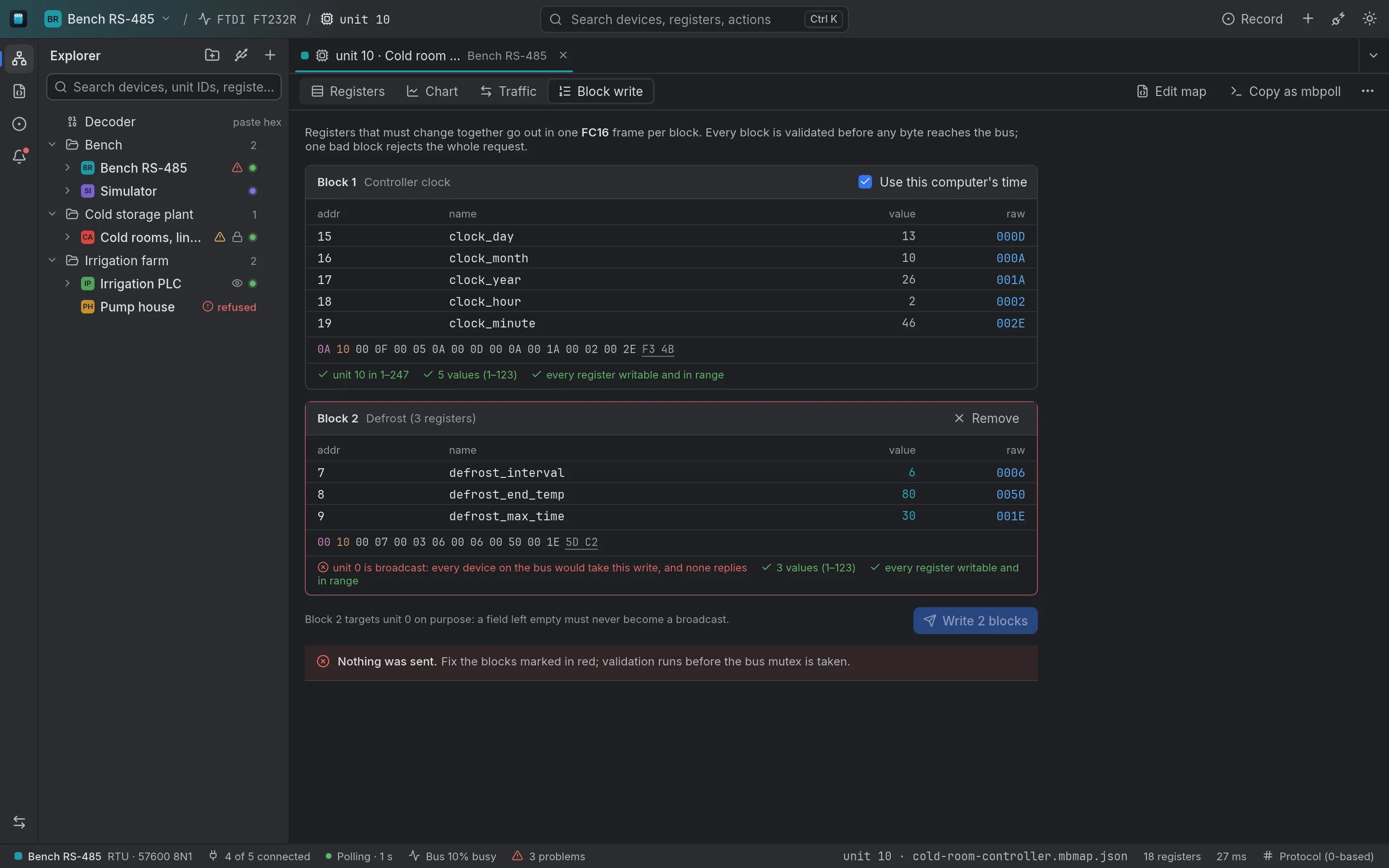
Registers that must change together go out in one FC16 frame per block. Every block is validated before any byte reaches the bus, a block aimed at unit 0, the broadcast address, is refused, and one bad block stops the whole request.
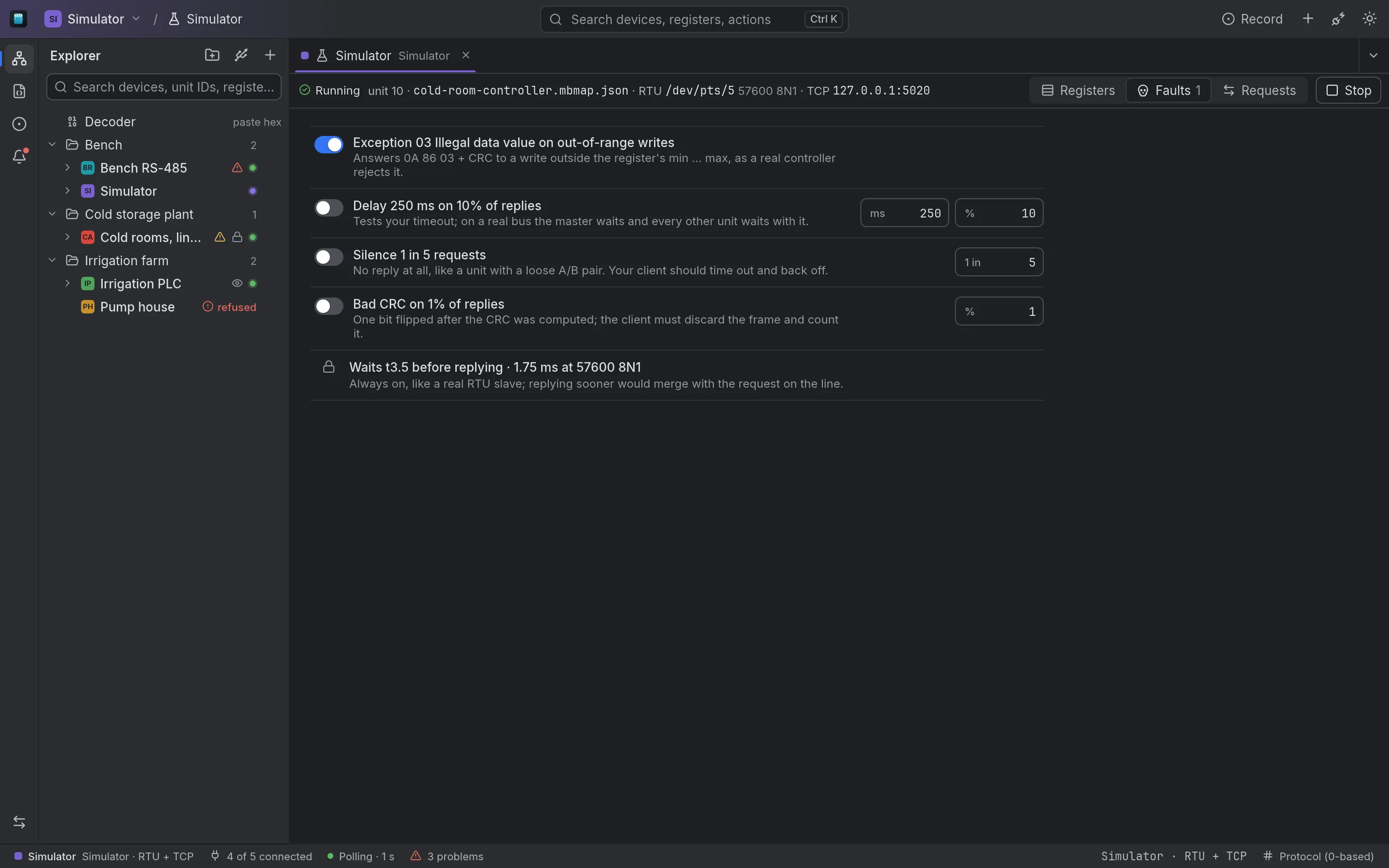
Serve any map over TCP and, on Linux and macOS, over RTU on a virtual serial pair, with value generators and fault injection: exceptions, delayed replies, silence and bad CRCs. Point a connection at it and work through the whole app with no hardware.
Paste a hex blob from a gateway or an MQTT message, or a raw RTU or TCP frame, and read it against a map: register by register, or field by field.
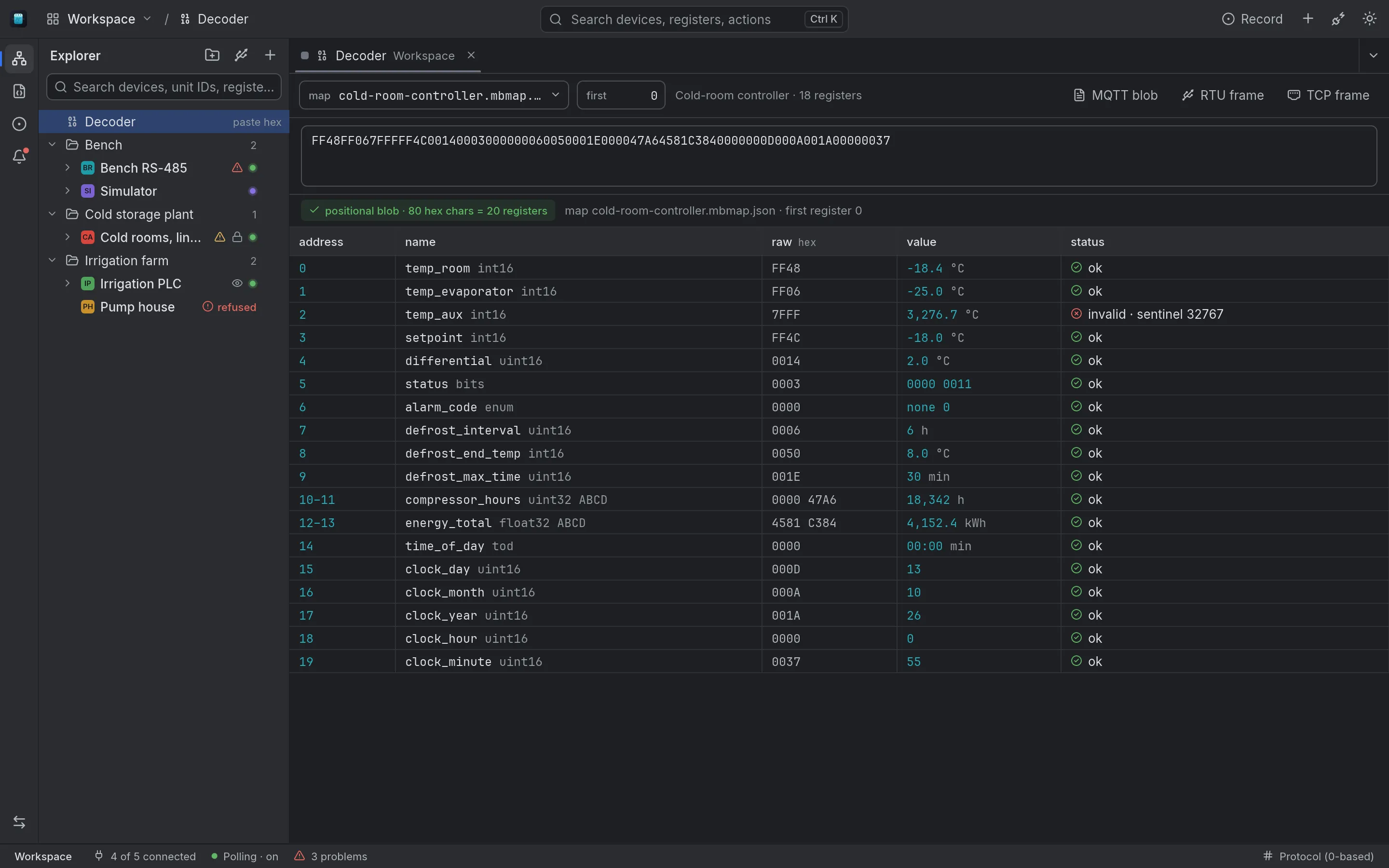
A register map is a JSON file you can keep in git. Edit it as a table or as JSON with a validation strip, import and export CSV, and diff the working copy against git HEAD or the saved file.
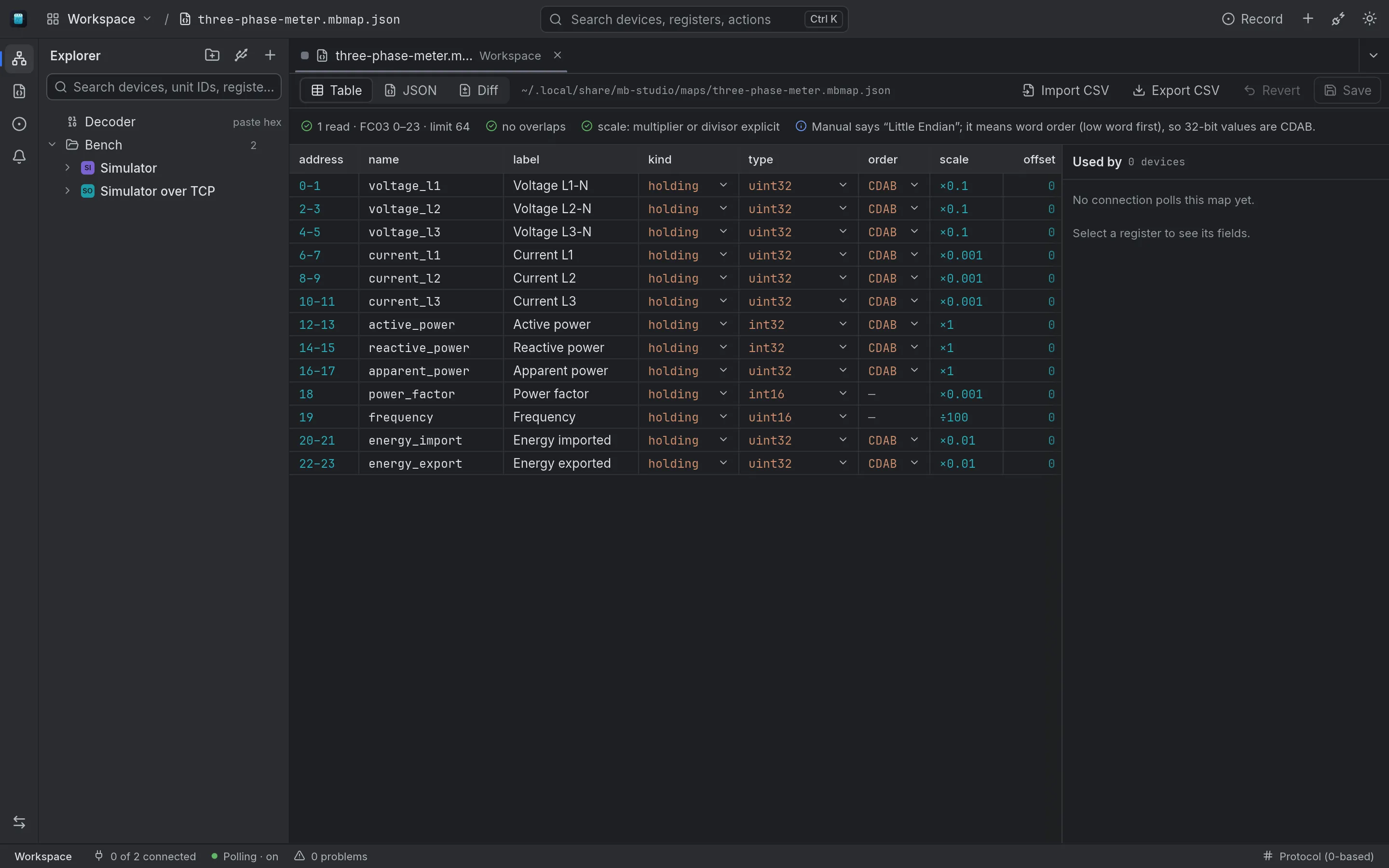
Ctrl K (Cmd K on macOS) reaches every connection, device, register and view without hunting through the tree.
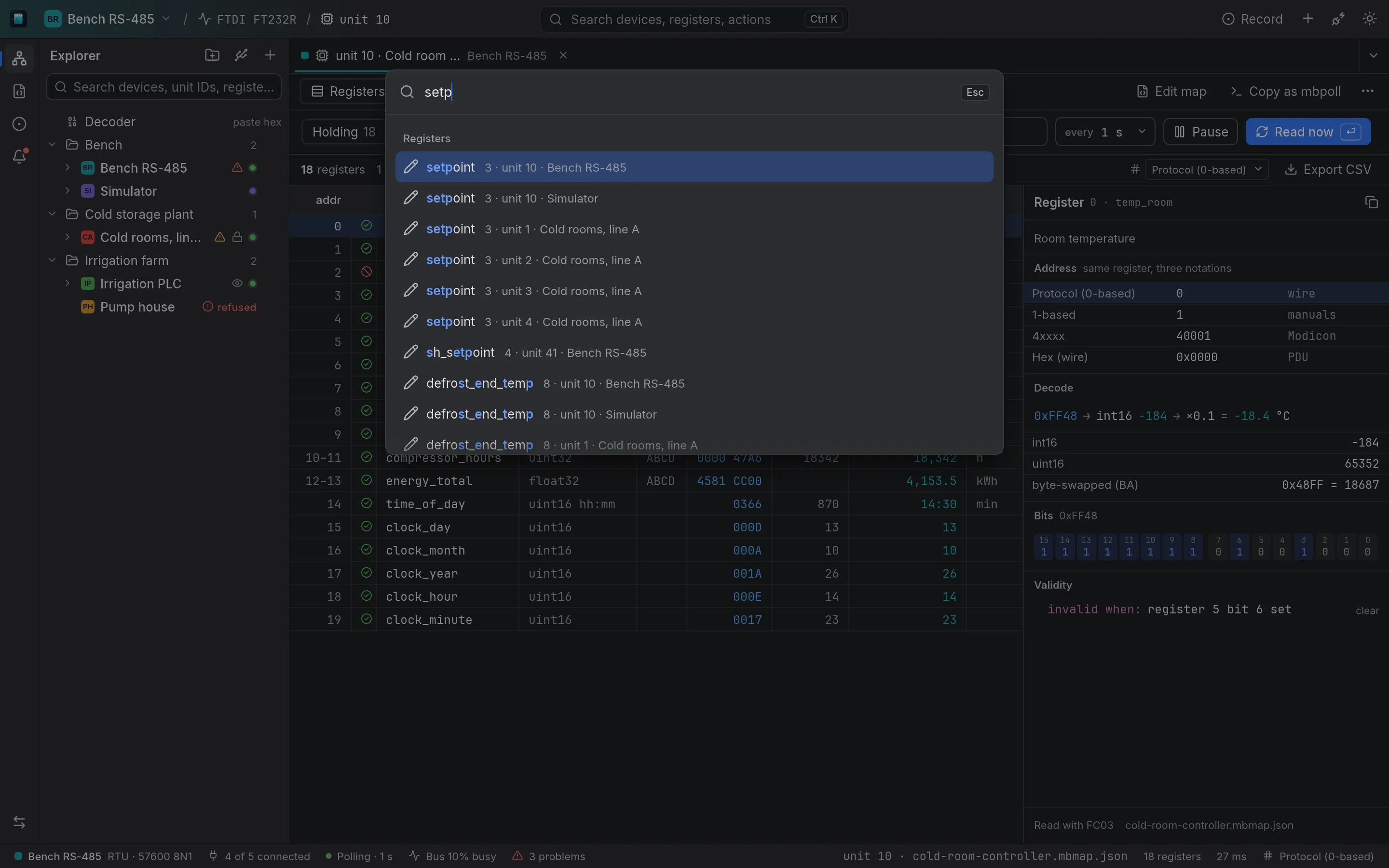
A USB adapter on the bench, a serial-to-Ethernet converter at a plant and a PLC on the network sit in one explorer, grouped by site, with the devices on each connection under it by unit ID.
Connections
Serial RTU, Modbus TCP, RTU over TCP Live plants ask before any write
Join the dialout group once (log out and back in after). FTDI adapters hold every short reply for 16 ms by default; lowering the latency timer to 1 ms speeds up every transaction, until the adapter is re-plugged.
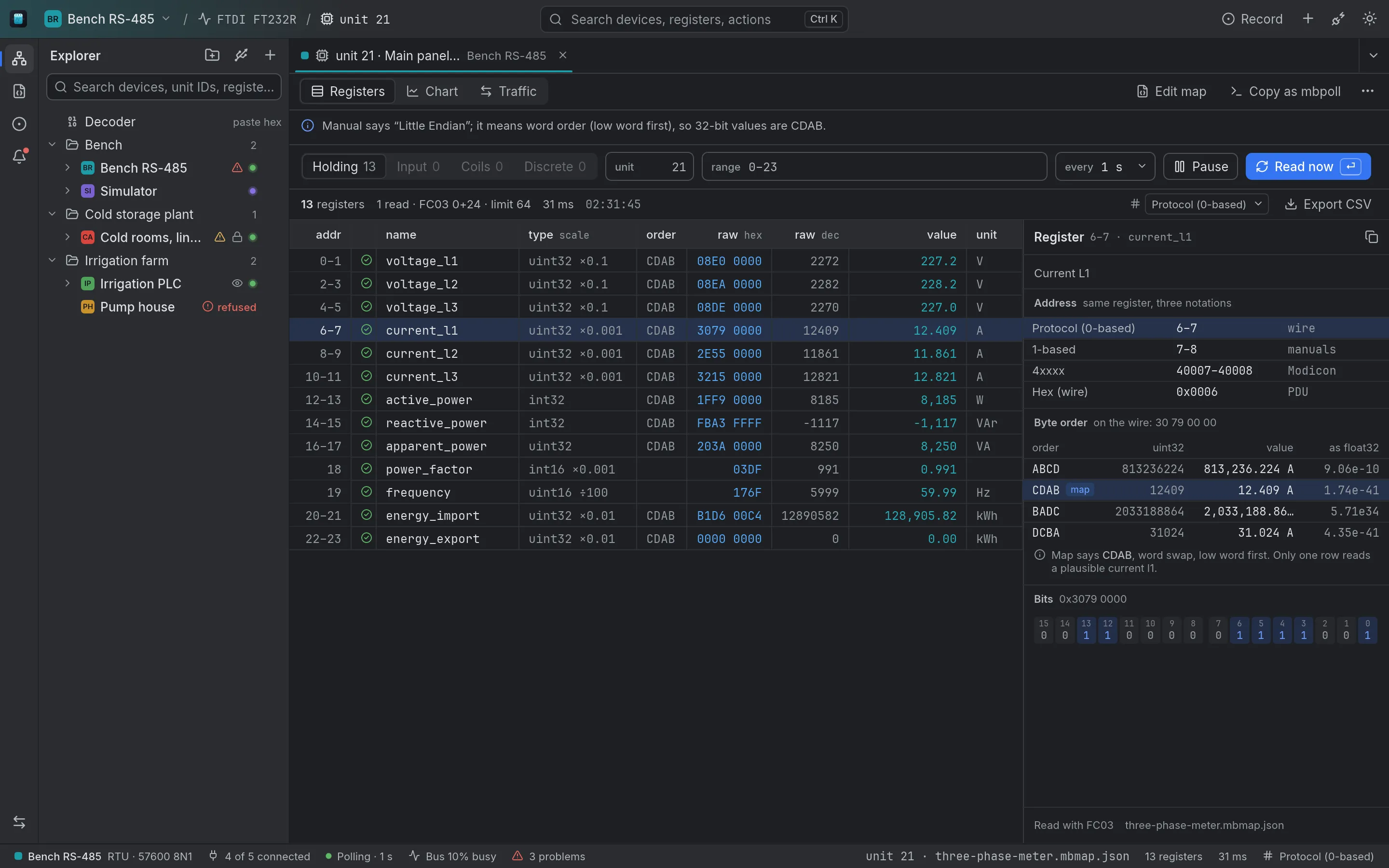
sudo usermod -aG dialout $USERecho 1 | sudo tee /sys/bus/usb-serial/devices/ttyUSB0/latency_timerTwin dark and light themes, dark by default, built to sit next to your IDE. Drag to compare.
The interface is egui drawn with OpenGL. There is no WebKit process, no JavaScript heap and no network process, and the app repaints only when the data changed. Release build, measured on Linux, 2026-10-13.
| App | First frame | Idle CPU one core | Memory PSS, all processes | Binary |
|---|---|---|---|---|
| Postgres Studio Tauri | – | 0.17 % | 249 MB | 16.8 MiB |
| Rabbit Studio Tauri | 196–263 ms | 0.03 % | 234–252 MB | 15.8 MiB |
| Mb Studio egui | 70–107 ms | 0.00 % | 66–87 MB | 13.5 MiB |
Release builds with an idle window, CPU over 30 s after launch, memory as the PSS of every process 10 s after the first frame. AMD Ryzen 7 5700G, Linux 7.0, Wayland session. Postgres Studio's first frame was not measured.
Version 0.1.0, free and open source.
Mb Studio is not released yet. Installers for Windows, macOS and Linux appear here as soon as the first build is out.
x64 installer
The simulator serves TCP on Windows; RTU needs a virtual COM pair.
Apple silicon
A disk image for Macs with Apple silicon. Only /dev/cu.* serial ports are listed.
x86_64
Debian, Ubuntu and derivatives.
sudo apt install ./mb-studio_0.1.0_amd64.debAny distribution, nothing to install.
chmod +x mb-studio_0.1.0_x86_64.AppImage./mb-studio_0.1.0_x86_64.AppImageBuilds are not code-signed yet, so the first launch shows a Gatekeeper warning on macOS and a SmartScreen warning on Windows.